Best Learning App of 2026: Comparing Top E-Learning Platforms
 Apr, 7 2026
Learning Platform Matcher
Not sure which app to download? Answer these 3 quick questions to find your perfect match based on the article's recommendations.
Platform Name
Description goes here.
Quick Guide to the Top Contenders
Before we break down the specifics, here is a snapshot of where you should look based on your goal:
- For professional certifications and university-backed courses: Coursera.
- For creative skills and hobbyist learning: Skillshare.
- For a massive library of affordable, practical tutorials: Udemy.
- For language acquisition through gamification: Duolingo.
- For high-end coding and technical mastery: Pluralsight.
The Heavyweights: Coursera vs. Udemy
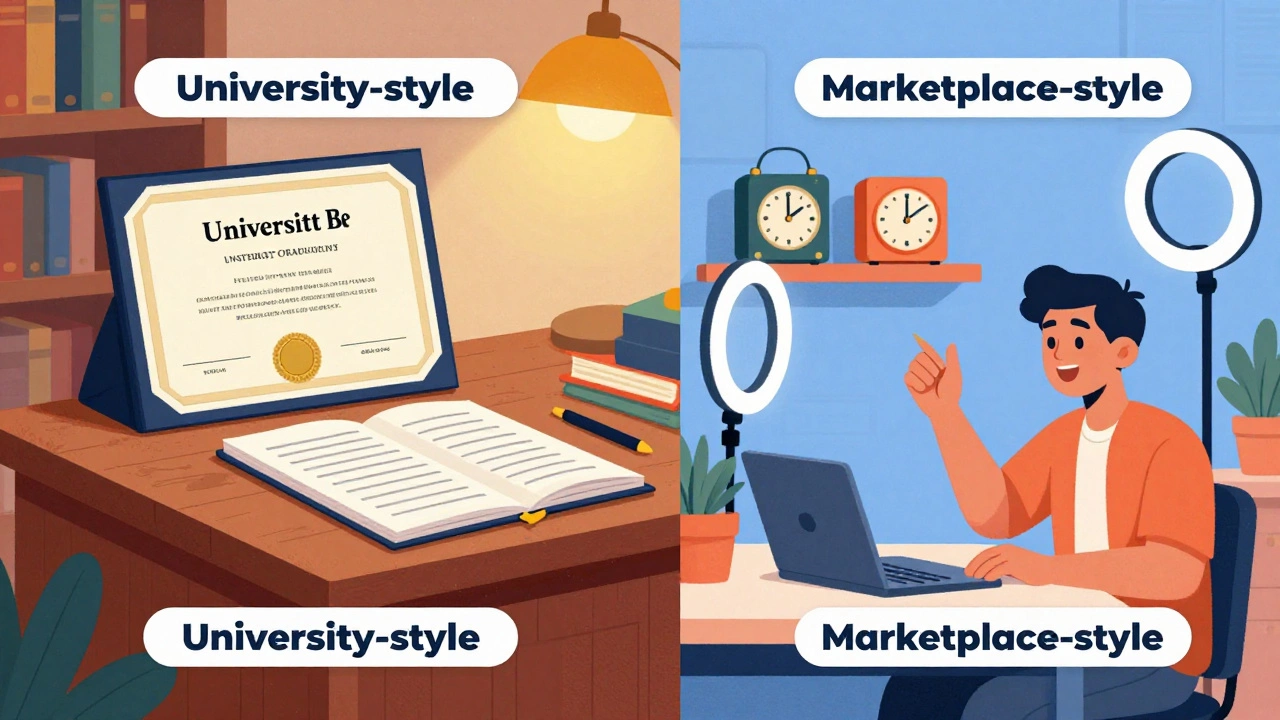
If you are serious about your career, you've probably looked at these two. They seem similar, but they are worlds apart in how they operate. Coursera is a platform that partners with top-tier universities like Stanford and Yale to provide academic-grade education. When you finish a course here, you get a certificate that carries actual weight on a resume because it's backed by an institution.
Then there is Udemy, which is essentially a marketplace. Anyone with a camera and a skill can create a course. While this means the quality varies, it also means you can find incredibly niche topics that a university would never teach, like "How to build a specific type of Shopify store for vintage clocks." The best learning app for you depends on if you want a degree-like experience or a quick, practical win.
| Feature | Coursera | Udemy | Skillshare |
|---|---|---|---|
| Certification Type | University/Professional | Certificate of Completion | No formal certification |
| Pricing Model | Subscription or Per Course | Pay-per-course | Annual Subscription |
| Primary Focus | Academic & Career | Broad Skill Acquisition | Creative Arts & Business |
| Course Structure | Syllabus-driven, peer-graded | Video-led, self-paced | Project-based |
Gamification and the Secret to Staying Motivated
One of the biggest hurdles in online learning is the "drop-off." You start with 100% energy, and by module three, you're ignoring the notifications. This is where Duolingo changed the game. By using a "streak" system and experience points (XP), they've turned learning a language into a habit-forming game. While it might not make you fluent overnight, it solves the hardest part of learning: showing up every day.
Other apps are now stealing this playbook. Many coding platforms now use "interactive sandboxes" where you write code directly in the app and see a green checkmark instantly. This immediate feedback loop is why apps like Mimo or Sololearn are often more effective for beginners than reading a 500-page textbook on Java.
Creative Learning and Project-Based Growth
If you're a visual learner, traditional lectures are a nightmare. Skillshare focuses on the "doing" part of learning. Instead of taking a test at the end, you create a project. For example, instead of a quiz on color theory, you're asked to design a logo for a fictional brand. This approach triggers a different part of the brain, moving the knowledge from short-term memory to a practical skill set.
This project-based method is why creative professionals prefer this over a structured university course. They don't care about the credit hours; they care about the portfolio. If your goal is to get hired as a freelance illustrator or a social media manager, a project-focused app is your best bet.
Technical Mastery and Corporate Training
For those in the IT world, the stakes are higher. You can't just "kind of" know how to manage a cloud server. Pluralsight and LinkedIn Learning target the corporate segment. Pluralsight, in particular, uses "Skill IQ" tests to tell you exactly where your knowledge gaps are. Instead of making you watch 20 hours of video, it identifies that you're great at Python basics but struggle with asynchronous programming and sends you straight to those lessons.
LinkedIn Learning has the advantage of integration. Because it's tied to your professional profile, completing a course automatically updates your skills list, making you more visible to recruiters. It's less about the depth of the material and more about the professional signaling.

Avoiding the "Tutorial Hell" Trap
There is a common problem in the e-learning world called "Tutorial Hell." This happens when you follow a series of videos perfectly, but the moment you open a blank page, you have no idea what to do. You've become an expert at following instructions, but not at solving problems. To avoid this, you need to pick an app that encourages active recall and synthesis.
The best way to break this cycle is to apply the 70-20-10 rule: 70% of your time should be spent building things on your own, 20% interacting with other learners in forums, and only 10% watching the actual videos. If an app doesn't have a community forum or a way to submit projects for critique, it might be a "passive" app that gives you the illusion of learning without the actual skill.
Which One Should You Actually Download?
If you're still undecided, ask yourself what your "definition of success" is. Is it a certificate to show your boss? Go with Coursera. Is it a new hobby you can start this weekend? Try Skillshare. Do you want to learn a language without feeling like you're in a classroom? Download Duolingo. The top learning app isn't the one with the most users; it's the one that fits your specific goal and actually keeps you coming back.
Are free learning apps as good as paid ones?
It depends on the goal. For basic introduction and conceptual understanding, free apps are fantastic. However, paid platforms usually offer structured paths, vetted instructors, and recognized certifications that have actual value in the job market. Free resources often lack the accountability and a cohesive syllabus, which can lead to fragmented learning.
Can I really get a job using only app-based learning?
Yes, but not with the certificate alone. Employers in 2026 care more about your portfolio (what you've actually built) than a digital badge. Use the apps to learn the theory, but spend your time building a GitHub repository or a Behance portfolio to prove you can apply those skills in the real world.
How long does it take to master a skill on these apps?
There's no magic number, but consistency beats intensity. Someone who spends 30 minutes a day for six months will almost always outperform someone who binges 10 hours a day for one week. Most professional certificates on platforms like Coursera take 3 to 6 months of steady work.
What is the best app for learning to code?
For total beginners, Mimo or Sololearn are great because they feel like games. For those moving into a professional career, Pluralsight or Coursera's professional certificates (like the Google Data Analytics one) provide a more rigorous foundation and industry recognition.
Do I need a laptop, or can I learn everything on a phone?
Phones are great for conceptual learning, vocabulary, and watching lectures. But for technical skills like coding, graphic design, or data analysis, you eventually need a computer. You cannot effectively build a complex app or a professional design layout on a mobile screen.
Next Steps for Your Learning Journey
If you're feeling overwhelmed by the options, start with a "Trial Week." Pick two apps that seem to fit your goal and spend 30 minutes on each for seven days. Notice which one makes you feel excited and which one feels like a chore. Once you find the right fit, set a non-negotiable time in your calendar-like 8:00 AM before work or 9:00 PM after the kids are asleep-and stick to it.